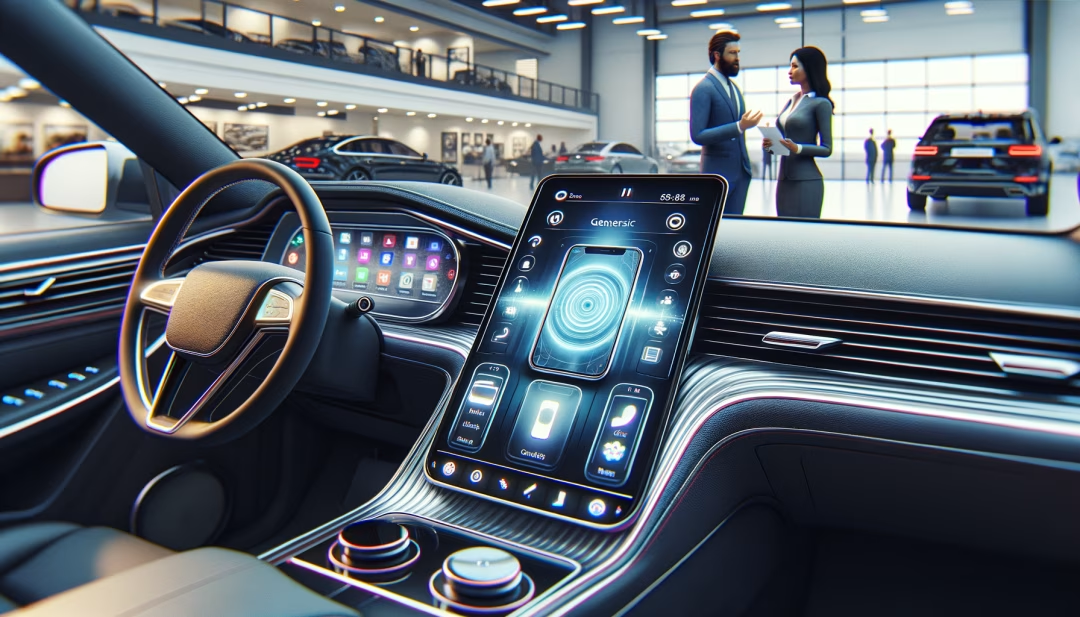
What makes an infotainment system great in a used car
Modern infotainment is more than a large touchscreen. The best systems blend intuitive design with robust connectivity that reduces distraction and frustration. In used cars, look for a system that boots quickly, responds without lag, and supports the smartphone ecosystem you already use. Equally important is long term support. Some brands deliver frequent firmware updates, which can fix bugs, improve Bluetooth stability, and add wireless features over time. Below are core elements that often separate solid systems from forgettable ones.
- Native support for Apple CarPlay and Android Auto, ideally wireless for convenience
- Responsive hardware with minimal input lag and logical menu structure
- High resolution screen that remains visible in direct sunlight and at night
- Reliable Bluetooth pairing and quick reconnection after restarts or short trips
- Quality voice assistant for hands free commands and navigation inputs
- Over the air or dealer installed software updates for future compatibility
- Multiple USB A and USB C ports, 12V outlets, and optional wireless charging
- Integration with driver assistance displays and a clear surround view or backup camera
Standout infotainment systems by brand and generation
Automakers approach infotainment differently. Some prioritize simplicity, while others add advanced graphics and smart home style assistants. In the used market, these systems consistently draw positive reviews for speed, reliability, and feature coverage.
- Ford SYNC 3 and SYNC 4: SYNC 3 in many 2017 to 2020 models is fast and stable with CarPlay and Android Auto. SYNC 4 in select 2021 and newer adds larger screens, wireless mirroring, and cloud navigation in certain trims.
- Uconnect 4 and 5 from Stellantis brands: Uconnect has long been praised for intuitive menus. Uconnect 5, found in newer Chrysler, Dodge, Jeep, and Ram models starting around 2021, adds wireless CarPlay and Android Auto and solid voice control.
- GM Infotainment 3: Chevrolet, GMC, Buick, and Cadillac models from 2019 and newer often include quick startup, CarPlay and Android Auto, and robust camera integrations on trucks and SUVs.
- Toyota Audio Multimedia and Entune: Late Entune generations added smartphone mirroring. Toyota Audio Multimedia in newer model years brings faster processors, larger screens, and improved voice assistant performance.
- Honda Display Audio: Earlier versions required updates, but 2019 and newer Honda systems typically offer CarPlay and Android Auto with smoother operation, while select trims add wireless charging and premium audio.
- Mazda Connect with CarPlay and Android Auto: Mazda pairs clean design with tactile controls. Many 2018 to 2021 models support smartphone mirroring via updates or factory integration and deliver excellent audio clarity for the class.
- Hyundai and Kia systems: Broad CarPlay and Android Auto support from late 2010s onward, with many 2020 and newer models offering slick graphics, frequent updates, and available 10.25 inch or larger screens.
- Subaru Starlink: By 2019, most Starlink head units integrate CarPlay and Android Auto. Many 2020 and newer Outback and Legacy models feature a tall 11.6 inch display with clear camera views and quick climate access.
- Volkswagen MIB 3: 2021 and newer models often include wireless CarPlay and Android Auto, improved processing, and cleaner haptic controls on certain trims.
- Luxury leaders: BMW iDrive 7 and 8, Mercedes MBUX, and Audi MMI with Virtual Cockpit deliver high resolution graphics, fast processors, and advanced voice features. Wireless CarPlay and Android Auto are common on newer model years and trims.
Used models often praised for infotainment value
Availability changes frequently, but the following vehicles are often recognized for strong infotainment across key years and trims. Always verify features by VIN and test functionality in person since options and packages vary.
- Honda Accord 2018 to 2022 and Honda Civic 2019 to 2022: Clear menus, CarPlay and Android Auto, and available premium audio on higher trims.
- Toyota Camry 2018 to 2023 and Toyota RAV4 2019 to 2023: Widespread smartphone mirroring and dependable operation with Toyota Audio Multimedia on newer years.
- Mazda3 and Mazda CX 5 2019 to 2021: Minimalist layout with tactile controls, smooth smartphone integration, and refined audio tuning.
- Hyundai Sonata and Hyundai Kona 2020 to 2022 and Kia Telluride and Kia Sportage 2020 to 2022: Attractive interfaces, wide feature coverage, and larger available screens for the class.
- Subaru Outback 2020 to 2022: Tall 11.6 inch display on many trims, versatile split screen, and clear camera feeds for parking and towing visibility.
- Ford F 150 2018 to 2020 with SYNC 3 and 2021 with SYNC 4: Quick operation, truck specific cameras and trailering views, and broad smartphone support.
- Chevrolet Silverado 1500 2019 to 2021 and GMC Sierra 1500 2019 to 2021: GM Infotainment 3 with fast pairing, CarPlay and Android Auto, and available surround view cameras.
- Ram 1500 2019 to 2021: Uconnect interface with available 12 inch vertical screen and strong towing integrations in upper trims.
- Volkswagen Golf GTI 2020 to 2021: Sharp graphics, good audio quality, and a driver focused layout that emphasizes quick access.
- BMW 3 Series 2019 to 2021, Mercedes E Class 2020 to 2021, and Audi Q5 2018 to 2021: Premium systems with crisp visuals and advanced voice interfaces that age well.
Feature checklist to compare on your short list
When you narrow down vehicles, compare available features by trim and package. Bring your phone and cable to confirm compatibility and stability. The list below is designed to save time and reduce surprises after purchase.
- Wireless versus wired CarPlay and Android Auto, plus Bluetooth call clarity and audio streaming stability
- Navigation options, including cloud based or offline maps, and traffic data availability or subscription requirements
- Screen size and resolution, night mode brightness, and anti glare performance at midday
- Camera quality, surround view availability, trailer guidelines, and parking sensors integration
- Steering wheel and console controls for quick volume, track skip, and voice activation
- USB A or USB C ports count and placement, including rear passenger charging access and wireless charging pad performance
- Audio system brand and speaker count, subwoofer presence, and adaptive sound settings by drive mode
How to test infotainment quickly during a drive
A brief hands on test will reveal far more than a spec sheet. Start with device pairing and confirm how quickly the system recognizes your phone on restarts. Open navigation, enter a voice destination, toggle between native audio and smartphone apps, and test the steering wheel buttons. Then inspect camera clarity in daylight and low light. If the vehicle supports over the air updates, check the software version in the settings menu and note any pending updates. If updates require dealer installation, ask whether the vehicle service history shows the latest firmware. Finally, confirm microphone pickup by making a hands free call at city speeds. A system that handles these basics smoothly is much more likely to satisfy long term.
Infotainment trade offs in the used market
It is common to find excellent infotainment bundled with higher trims that also include driver assistance and premium audio. If budget is fixed, choose the best core tech first. Wireless CarPlay and Android Auto reduce cable clutter and can make daily use effortless, but wired connections often deliver the most stable audio quality. Some brands place climate controls within the touchscreen, which looks modern but can add extra taps. If you prefer tactile controls, consider models that keep physical knobs for volume and temperature. Subscription based features like connected navigation and remote start apps may require renewal after the free trial period, so review any current plan and expected costs. Last, larger screens are not automatically better. A well tuned eight to ten inch display with fast hardware can outperform a bigger unit with lag or poor anti glare performance.
Tech forward used picks by lifestyle
The right infotainment system depends on how and where you drive. Commuters may value quick boot times and dependable traffic rerouting. Families often prioritize rear charging access, clear backup cameras, and simple menus that any driver can learn in minutes. Frequent travelers benefit from cloud navigation that syncs addresses and calendar events. Truck owners who tow appreciate advanced camera views, trailer checklists, and trailering apps integrated into the head unit. The examples below highlight strong options for different needs so you can match features to your routine.
- Best for commuters: Honda Accord, Toyota Camry, Mazda3. Quick pairing, simple menus, and efficient voice inputs minimize distractions in traffic.
- Best for families: Toyota RAV4, Subaru Outback, Kia Telluride. Easy to read screens, clear camera views, and multiple USB ports in both rows.
- Best for road trips: Hyundai Sonata, Volkswagen Golf GTI, BMW 3 Series. Strong audio quality, precise navigation, and refined highway voice control.
- Best for towing and work: Ford F 150, Ram 1500, Chevrolet Silverado 1500. Infotainment integrates with trailering tools and multi angle cameras for confidence when maneuvering.
Helpful resources and research
Use the resources below to compare inventory, review pricing approaches, and read deeper buying guides related to infotainment and in car technology.
FAQ: Used cars with the best infotainment systems
Consistent performers include Honda Accord and Civic with Display Audio, Toyota Camry and RAV4 with newer Audio Multimedia, Mazda3 and CX 5 with Mazda Connect, and Ford models with SYNC 3 or SYNC 4. Ram 1500 with Uconnect and many GM trucks and SUVs with Infotainment 3 also rate highly.
Wireless mirroring is convenient for short trips and reduces cable clutter. However, wired connections can be more stable and charge faster. If you drive long distances or stream lossless audio, a wired setup may deliver more consistent results, while wireless is great for daily errands.
Check the window sticker or build sheet for CarPlay and Android Auto. Then pair your phone during a drive. Test calls, navigation prompts, audio switching, and reconnection after a restart. Review the infotainment settings for software version and confirm whether updates are available.
Core features like CarPlay and Android Auto are free. Connected services such as cloud navigation, live traffic, remote start apps, and Wi Fi hotspots may require a subscription after any trial period. Ask for current plan status and costs before you finalize a purchase decision.
Screen quality matters more than size. A sharp eight to ten inch display with fast hardware and good anti glare often outperforms larger units with lag. Evaluate brightness in daylight, quick access to key functions, and camera clarity before prioritizing a bigger screen.